Your whole day,
on one calm page.
Your tasks, focus timer and handwritten notes. Together, for a calmer day of study or work.
Free on the web, Android and Mac. No card needed.
01 / A little rhythm for your day
One thing to start with.
See what’s due, choose your next task, and give it a round of focus. Your day has a place to begin.
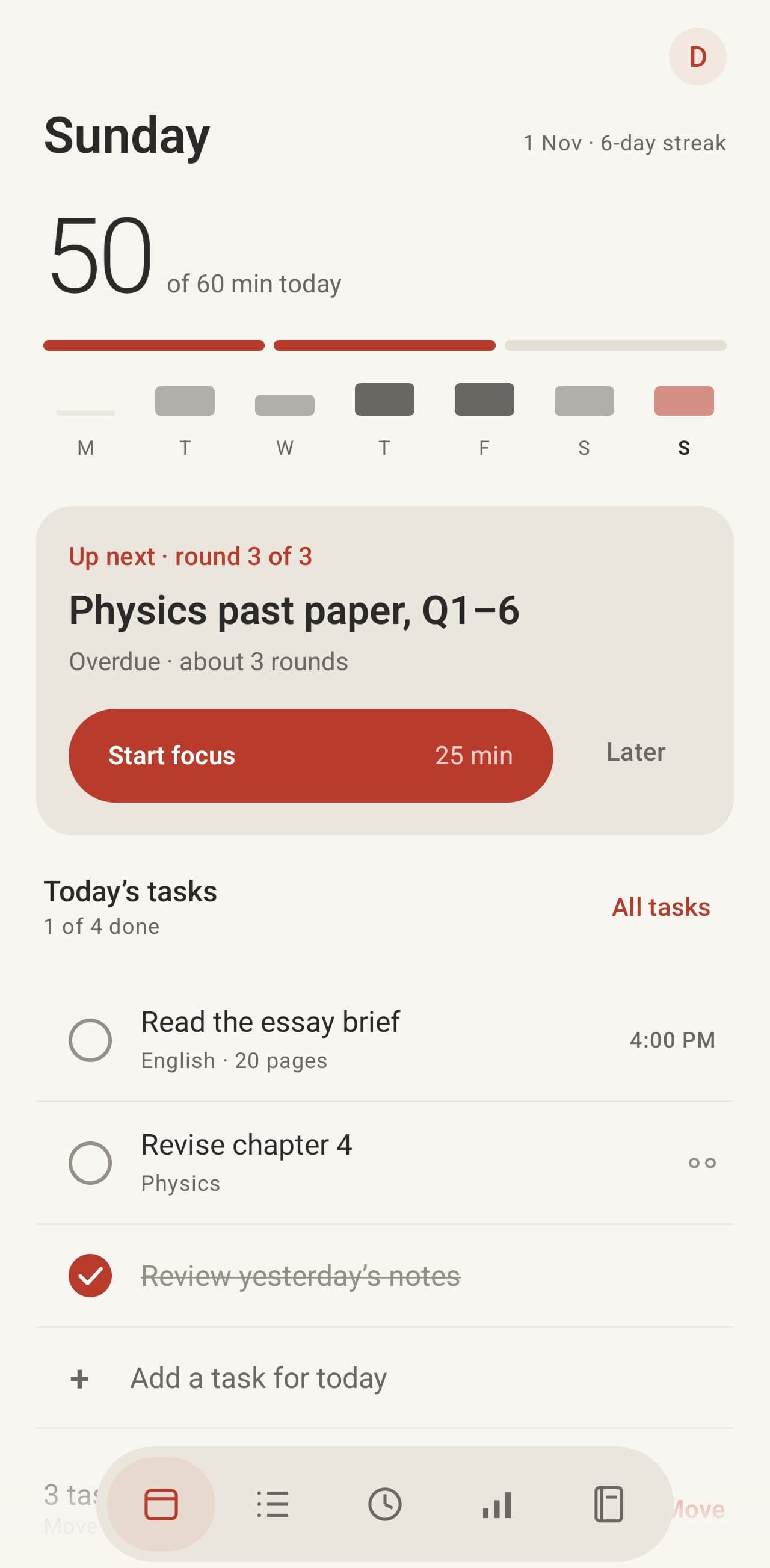
Everything in one place
Small tools that work together.
From your first task to your last round, the little details help you keep going.
Tasks that stay simple
A title and, if you like, a day. Repeats, subtasks and priorities are there when you want them.
Pick up where you left off
Start on your phone or Mac, finish on the web. Same countdown.
Progress you can feel
Goals, a streak and every day you focused, at a glance.
A little less online
Keep working offline in the Android app. Your changes sync when you reconnect.
3 changes saved on this phone
Everything synced
Pricing
Free to use. Plus when you want more.
Start with the essentials, free for as long as you like. Add Plus for more notebooks, a longer history and a little help from AI.
Free
$0 / forever
- Focus timer, breaks and rounds
- Unlimited tasks
- Sync across phone, Mac and web
- 3 notebooks
- Last 30 days of progress
- Export your data any time
Pomofy Plus
$3.99 / month
Or $29.99 billed yearly. Prices in USD.
- Unlimited notebooks
- AI assistant: break down tasks, plan your day
- Your full history and insights
- All themes, sounds and Studio styles
- Everything in Free
Questions
Is Pomofy free?
Yes. The timer, unlimited tasks, sync and three notebooks are free with no time limit. Pomofy Plus adds unlimited notebooks, the AI assistant, your full history and extra themes and sounds.
Is there a phone app?
Yes. The Android app is on Google Play, with lock-screen timers and home-screen widgets, and your account syncs with this website. An iPhone and iPad app is coming soon.
Is there a desktop app?
Yes. Pomofy for Mac is a native app with a live menu bar countdown, Desk display and keyboard shortcuts, syncing seamlessly with your phone and web account.
What is the Pomodoro Technique?
You work on one thing for a set time, usually 25 minutes, then take a short break. After four rounds you take a longer one. Pomofy runs the timer and keeps count for you.
Does it work offline?
In the Android and Mac apps, your timer, tasks and notes keep working without a connection. Changes sync when you are back online.
Can I get my data out?
Yes, on every plan. Settings has an export of your tasks, sessions and settings.
Ready for a calmer day?
On the web, Android and Mac. iOS coming soon.